
KHIS Quarterly Reporting Automation with Python & APIs
Learn how to automate KHIS quarterly reporting workflows using Python and REST APIs. This guide covers data extraction, transformation, and automated email delivery for compliance reporting.

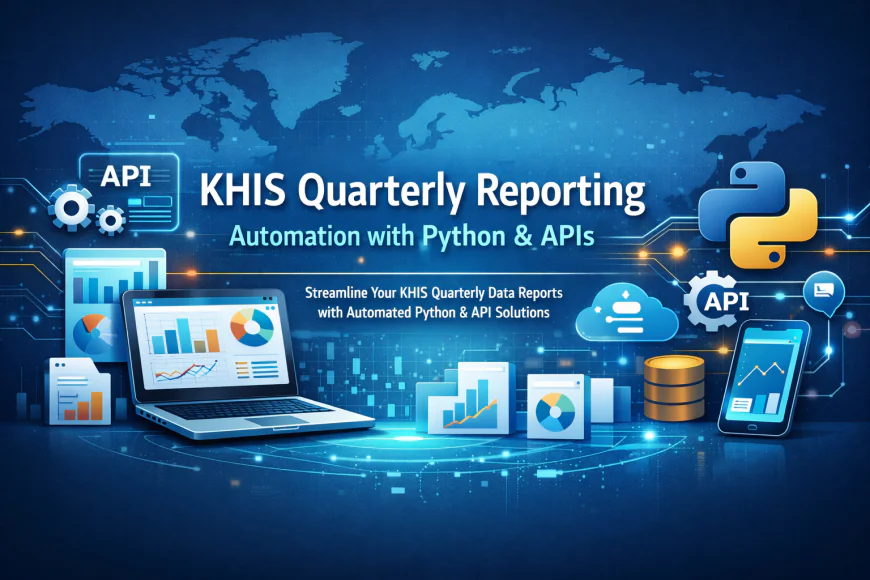
This comprehensive guide explains how to automate KHIS quarterly reporting using Python scripts and APIs. Learn step-by-step how to:
1. Extract quarterly data from KHIS using REST APIs
2. Transform data for compliance requirements
3. Generate automated reports
4. Schedule and email reports to stakeholders
Benefits:
- Eliminate manual data entry errors
- Save 20+ hours per quarter on reporting
- Ensure timely compliance
- Reduce dependency on individual staff
Why KHIS Reporting Matters for Health Performance
Quarterly reporting is how health programs demonstrate progress. It shows your donors, district managers, and ministry officials what you've accomplished. But manually compiling quarterly reports takes weeks. Data entry errors are common. By the time reports are complete, they're already outdated.
Python automation changes this completely. Your quarterly reports can be ready in hours, not weeks. The data is accurate because there's no manual entry involved. Managers can focus on analyzing the results instead of spending days in spreadsheets.
Understanding Your Data Extraction Challenge
KHIS stores data across many different reporting units. You need to:
- Pull data from multiple facilities
- Aggregate it correctly
- Transform it into the format your report needs
- Ensure calculations are accurate
Manually extracting this data is time-consuming and error-prone. One data entry mistake and your quarterly report is unreliable. Python scripts handle all of this reliably, running the same steps the same way every time.
Setting Up Your Python Environment
You'll need Python 3.7 or higher installed on a server or computer. We recommend using a cloud-based environment like Google Colab if you don't have a dedicated server. Cloud-based solutions are simpler to set up and require no server maintenance.
You'll also need credentials for accessing your KHIS instance. Most systems provide API access. Ask your KHIS administrator if your account has API permissions enabled.
Connecting to the KHIS API
KHIS provides REST APIs that allow external applications to request data. Python's requests library makes it simple to call these APIs. You send a request with your credentials and specify which data you want. KHIS responds with JSON formatted data.
The beauty of API connections is that they pull live data. Every time your script runs, it gets the latest numbers from KHIS. There's no need to export and reimport data manually.
Transforming Raw Data into Reports
Raw API responses contain all the data but not in report format. Your script needs to:
- Filter data by time period
- Calculate aggregates
- Apply performance thresholds
- Calculate compliance percentages
Python libraries like Pandas make these transformations straightforward. You work with data like a spreadsheet but with the power of a full programming language.
Scheduling Reports Automatically
Once your script works, you want it to run automatically every quarter. Linux servers (and cloud services) have job schedulers that can run scripts on a schedule. You can set it to run the first day of every quarter, automatically pulling data and generating the report.
Email Integration
Your quarterly report is useless if people don't see it. Python can send emails automatically. After generating the report, your script can email it to:
- Ministry officials
- Donor contacts
- District health managers
- Your own team
Each recipient can get a customized version showing only their relevant data.
Troubleshooting API Errors
Sometimes API calls fail. Network issues happen. API endpoints change. Your script should handle these gracefully by:
- Logging error messages
- Retrying failed requests
- Sending alerts when something goes wrong
- Continuing processing partial data if possible
Good error handling means your quarterly reports don't fail silently. You know immediately if there's a problem.
Expanding Beyond Quarterly Reports
Once you have quarterly reporting working, you can extend it to:
- Monthly performance dashboards
- Real-time alerts when targets are missed
- Compliance tracking across your entire health program
- Trend analysis comparing current quarter to previous quarters
The same API connection and Python skills apply to all of these use cases.
Security Considerations
Your KHIS credentials are sensitive. Never hardcode them in scripts that other people can see. Store credentials in environment variables or configuration files with restricted permissions. Use HTTPS connections to ensure data isn't intercepted.
If your script accesses health data, ensure it complies with your country's data protection policies. Some countries require data encryption and access logging.
Moving Your Script to Production
Testing in Python interactively is useful for development. But production scripts should run on servers that are:
- Monitored for uptime
- Backed up regularly
- Protected from unauthorized access
- Running updated security patches
Cloud platforms like AWS, Google Cloud, or Heroku provide reliable hosting for automation scripts.
Next Steps
Start by learning the KHIS API documentation. Most APIs have detailed guides showing example requests. Build your extraction script first and test it with sample data. Once extraction works, add transformation and reporting. Finally, set up scheduling and email delivery.
The upfront investment of a few days learning Python and APIs saves your team hundreds of hours every year on manual reporting.
What's Your Reaction?
 Like
0
Like
0
 Dislike
0
Dislike
0
 Love
0
Love
0
 Funny
0
Funny
0
 Wow
0
Wow
0
 Sad
0
Sad
0
 Angry
0
Angry
0


Comments (0)