
Automating Health Data Reports with ChatGPT & Google Sheets
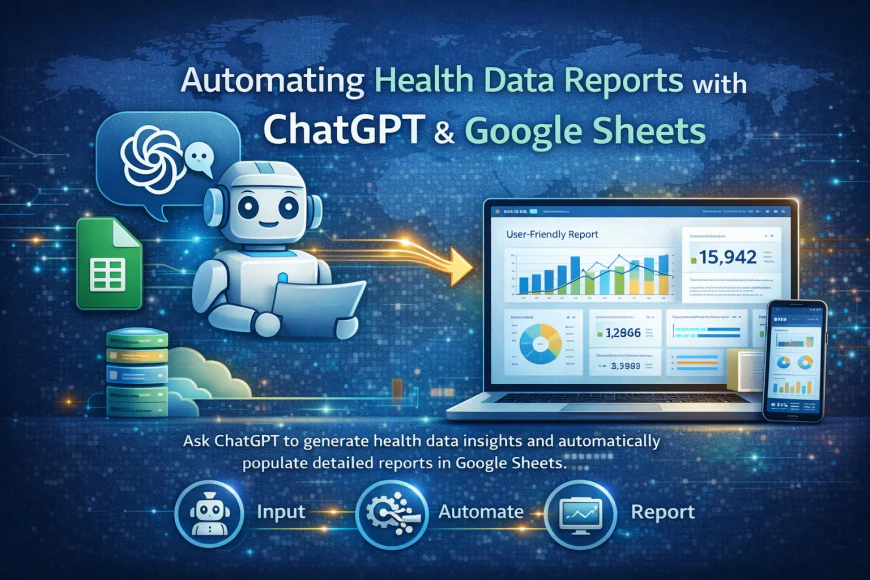
Use ChatGPT AI models to automatically generate health reports from Google Sheets data. Learn prompt engineering for healthcare insights, data summarization, and trend analysis.

Getting Started with ChatGPT for Health Report Automation
The Challenge with Manual Health Reporting
Health program managers face a recurring headache: monthly or quarterly reports. You've got data from the field, targets from donors, actuals from KHIS, and you need to weave it into a coherent narrative that explains what happened and why it matters.
Traditionally, this falls to one overworked staff member who manually compiles numbers, flags variances, and writes interpretations. It takes days. By the time the report is done, the data is already stale and decision-making opportunities have passed.
Why ChatGPT Changes the Game
ChatGPT can read your data—pulled directly from Google Sheets—and generate professional narrative instantly. Not as a replacement for human analysis, but as a time-saver that lets your team focus on strategy rather than admin.
Here's what becomes possible:
- Same-day reporting instead of week-long delays
- Consistent formatting across all program reports
- Instant insights surfaced from raw data
- More time for your team to act on findings
The Technical Setup
Step 1: Organize Your Data in Google Sheets
Create three sheets:
- Raw: Monthly numbers from KHIS, KoboToolbox, or manual entry
- Summary: Calculated metrics (percentages, variances from target)
- Narrative: Where ChatGPT output will go
Keep the Summary sheet simple: Metric name, Target, Actual, Variance.
Example:
ANC Coverage: Target 85%, Actual 82%, Variance -3%
Facility Deliveries: Target 60%, Actual 58%, Variance -2%
Step 2: Generate a Data Export
In your Summary sheet, use CONCATENATE or a formula to create a single text block that ChatGPT can read.
Example output:
"February 2025 Performance Summary for Rift Valley Region:
ANC Coverage: 82% of 85% target (Variance -3%)
Delivery at Facility: 58% of 60% target (Variance -2%)
MCH Complications Referred: 12 of 15 target (80%)
Facility Stock-outs: 3 facilities reported
Staff Retention: 88% (down from 90% last month)"
Step 3: Send to ChatGPT via API or Manual Copy
Via Apps Script (more advanced): You can call the ChatGPT API directly, feeding it your data string.
Via Manual (easier to start): Copy your data block and paste into ChatGPT with a standard prompt.
Step 4: The Prompt That Works
Use this template:
"You are a health program reporting specialist for NGOs in Kenya. Read the following monthly performance data and write a 3-paragraph executive summary. Focus on: 1) Overall program performance vs targets, 2) Key challenges and their likely causes, 3) Recommended immediate actions.
Data: [paste your data block]
Write in professional but accessible tone for MOH staff and donors."
ChatGPT Output Example:
"February performance shows a slight decline across key indicators. ANC coverage dropped 3 points to 82%, while facility delivery rates fell 2 points to 58%. Both shortfalls are within expected seasonal variation for this region but warrant monitoring. The notable challenge this month is the stock-out situation affecting 3 facilities—this is likely driving some ANC deferral. Immediate action: conduct urgent stock audit and redistribute supplies to affected sites. Staff retention at 88% is acceptable but the 2-point drop suggests potential morale issues worth investigating through staff conversations."
Turning Output into Reports
Option 1: Minimal Editing
Copy the ChatGPT paragraph directly into your report template with: Data tables you've pulled, official KHIS submission screenshots, recommendations in bullet format.
Option 2: Hybrid Approach (Better Quality)
Use ChatGPT's draft but edit for:
- Accuracy (does it match your data?)
- Specificity (add facility names if relevant)
- Tone (adjust for your donor requirements)
Option 3: Multiple Perspectives
Run the same data through ChatGPT twice with different prompts:
- One focused on "What went wrong?"
- One focused on "What should we do next?"
Combine the best insights from each.
Common Pitfalls and How to Avoid Them
Hallucinations
ChatGPT sometimes invents facts. Always fact-check output against your raw data. If your actual ANC was 82%, and ChatGPT says "strong growth to 85%", fix it immediately.
Loss of Context
If you're reporting to MOH using KHIS definitions, make sure your summary sheet uses those exact same definitions. Don't mix MOH indicator definitions with donor definitions in the same report.
Overfitting to the Prompt
If your prompt says "identify challenges" without data, ChatGPT might invent challenges. Always ground everything in actual numbers.
Confidentiality Issues
Never paste sensitive staff information (names, salaries, personal data) into ChatGPT. Anonymize or aggregate.
RealWorld Timeline
Month 1: Set up sheets, test with one month of data
Month 2: Automate via Apps Script if possible, or establish a monthly ChatGPT routine
Month 3+: Refine prompts based on stakeholder feedback
The Real Benefit
You've just recovered 10-15 hours per month that your team was spending on report writing. That's someone's time back for actual program management work.
What's Your Reaction?
 Like
0
Like
0
 Dislike
0
Dislike
0
 Love
0
Love
0
 Funny
0
Funny
0
 Wow
0
Wow
0
 Sad
0
Sad
0
 Angry
0
Angry
0



Comments (0)