

Automatically send email alerts when key M&E data is missing or invalid in your Google Sheet. Built using Apps Script, this tool is perfect for NGOs, DHIS2 users, and data officers.
Learn how to use Google Apps Script to send automated email alerts when M&E reporting data is incomplete or invalid in Google Sheets.

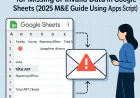
How to Send Automated Email Alerts for Missing or Invalid Data in Google Sheets (2025 M&E Guide Using Apps Script)
Author: Clement | FormToInsight.com | Published: July 2025
🚀 Introduction
In Monitoring & Evaluation (M&E), missing or invalid data leads to misleading KPIs, incomplete reports, and poor decisions. This is especially common in NGO projects, MoH 731 indicators, facility-level tracking, and KoboToolbox form exports.
This step-by-step guide helps you build a Google Apps Script that automatically checks your Google Sheet for missing or invalid values and sends email alerts to the responsible parties. Perfect for data officers, analysts, and M&E teams managing submissions from the field.
🔍 Why This Matters in M&E Workflows
- Missed deadlines cost compliance
- Incomplete reports delay donor submissions
- Poor data quality corrupts dashboards
- Manual follow-ups waste hours
Automation solves this by:
- ✅ Validating fields automatically
- ✅ Emailing alerts based on logic
- ✅ Running on a daily or weekly schedule
🏛️ Example Use Case
You collect monthly ART summary reports from 40 facilities via Google Sheets. Each row looks like this:
| Facility | County | Month | Reporting Officer | Total ART Clients | |
|---|---|---|---|---|---|
| Bondeni | Nakuru | June | Josephine Atieno | 122 | josephine@bondeni.org |
| JalaDice | Nakuru | June | jaladice@gmail.com |
Problems:
- Row 2: Missing officer name
- Row 2: Missing ART client count
The script should automatically send this message:
Dear team at JalaDice, your June report is missing key data fields: [Reporting Officer, Total ART Clients]. Kindly update it before 5th July.
🔧 Step-by-Step: Build the Alert Script
✅ Step 1: Open Apps Script
- Open your Google Sheet
- Click Extensions → Apps Script
- Rename the project to
DataAlerts.gs
✅ Step 2: Add the Script
function sendDataAlerts() {
  const sheet = SpreadsheetApp.getActiveSpreadsheet().getSheetByName("Submissions");
  const data = sheet.getDataRange().getValues();
  const headers = data[0];

  for (let i = 1; i < data.length; i++) {
    let row = data[i];
    let facility = row[0];
    let month = row[2];
    let officer = row[3];
    let totalART = row[4];
    let email = row[5];

    let issues = [];
    if (!officer) issues.push("Reporting Officer");
    if (!totalART || isNaN(totalART)) issues.push("Total ART Clients");

    if (issues.length > 0 && email) {
      let subject = `Missing Data Alert: ${facility} - ${month}`;
      let body = `Dear team at ${facility},\\n\\nYour ${month} report is missing the following fields: ${issues.join(", ")}.\\n\\nPlease update before the deadline.\\n\\nRegards,\\nM&E Automation`;
      GmailApp.sendEmail(email, subject, body);
    }
  }
}
✅ Step 3: Add a Menu Button
function onOpen() {
  SpreadsheetApp.getUi()
    .createMenu("✉️ M&E Tools")
    .addItem("Send Data Alerts", "sendDataAlerts")
    .addToUi();
}
✅ Step 4: Schedule to Run Daily
- In Apps Script, click ⏰ “Triggers”
- Create a trigger for
sendDataAlerts - Choose: Time-driven → Daily → 8 AM
⚙️ Optional Improvements
- Highlight rows with errors using conditional formatting
- Push alerts to Google Chat instead of email
- Generate and attach PDFs of faulty submissions
📖 Summary
- Validate M&E data automatically
- Notify field officers via email
- Reduce manual follow-up workload
- Fully automate monitoring checks
💬 Need Help?
Leave a comment below or contact us on WhatsApp. You can also follow our YouTube channel for tutorial videos.
🔗 Related Posts You May Also Like
- ✅ How to Automatically Clean and Validate Data in Google Sheets Using Apps Script
- 📊 How to Auto-Generate Monthly MoH Indicator Dashboards in Google Sheets
- 🔁 How to Sync KoboToolbox Data to Google Sheets Automatically
- 📨 How to Send Automated Reminders for Missing M&E Reports via Apps Script
- 🔍 Build a Data Quality Audit Tool in Google Sheets for M&E Indicators
What's Your Reaction?
 Like
0
Like
0
 Dislike
0
Dislike
0
 Love
0
Love
0
 Funny
0
Funny
0
 Wow
0
Wow
0
 Sad
0
Sad
0
 Angry
0
Angry
0



Comments (0)